The Journey to a Better Home Office
The Couch Days
I thought I would share my work from home setup, as I have tried many different configurations over the past few years. Specifically, if any of you are looking for options to improve your own space, here is how I found my ideal balance.
I started out by just sitting on the couch in my back sun-room during Covid. At the time, my kids were home and occupying almost every other area in the house. However, I quickly realized that a couch is not built for productivity, and I soon developed a sore back.
The Folding Chair Era
To fix this, I brought a small folding chair in from the garage. I alternated between sitting at the table with my laptop and then standing up by propping the laptop on the folding chair. This worked for a while, and my back certainly thanked me for it. Nevertheless, the whole process felt way too clunky for long-term use.
The Big Screen Upgrade
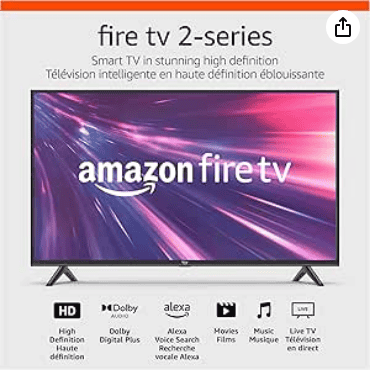
Next, I decided to upgrade my visuals. I bought a big 40-inch monitor and set it up on a small desk. Having the big screen was initially nice, but lining up the windows (first in Windows 10 and then Windows 11) became a bit of a task. Consequently, I soon found myself facing the same back issues again.
Discovering Sit-Stand
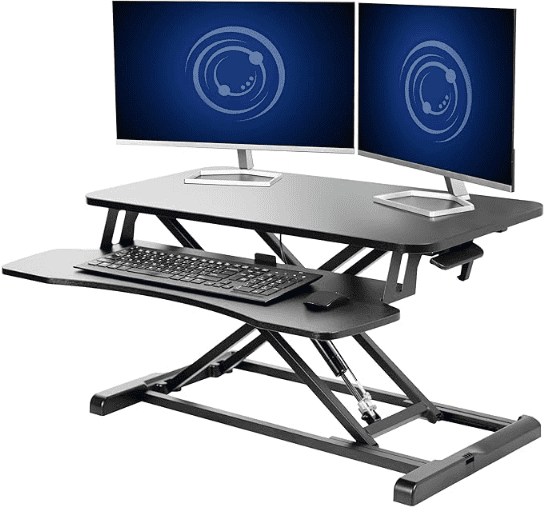
To solve this, I invested in a 32-inch desk converter that turns a sitting desk into a standing desk. Wow, this was a game-changer! Alternating between sitting and standing was significantly better for my energy and posture. However, the wooden office chair I had was pretty hard and started taking a toll on my tailbone and legs.
The Cushion Solution
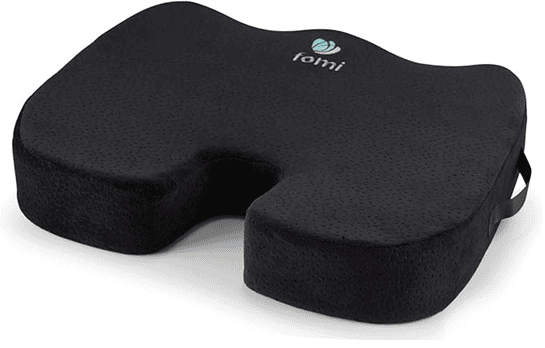
Fortunately, I found a high-quality chair cushion, which finally made the setup perfect. This remained my go-to spot until my daughter moved in and needed the sun-room for her own work. As a result, I got relegated to the dining room.
Going Portable
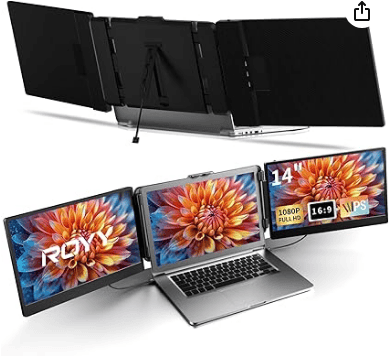
While I could bring my foam cushion with me, I could not exactly carry a giant monitor back and forth across the house. Therefore, I needed a portable solution to my multi-tasking challenge. I found the answer in the Laptop Screen Extender Triple Monitor. Now, I use it every time I work from home or travel remotely. It is highly recommended for anyone needing more screen real estate on the go.
My Current Setup
Currently, I still keep the giant monitor in the sun-room, permanently connected to a Windows PC I built from scratch. I use this specific setup for personal projects, and it doubles as an entertainment system (which I will write about in an upcoming post!).
Where to Buy
Amazon Fire TV 40″ 2-Series
Perfect for use as a large workstation monitor or entertainment display.
VIVO 32 inch Desk Converter (K Series)
Transforms any desk into a sit-stand workstation instantly.
FOMI Extra Wide Coccyx Seat Cushion
Ergonomic support for long hours at any desk or dining chair.
Laptop Screen Extender Triple Monitor
Portable triple-screen setup for laptops, perfect for remote work.
Frequently Asked Questions
Is a desk converter better than a full standing desk?
Yes, specifically if you already have a desk you like. It provides the flexibility to switch positions without the cost of a new piece of furniture.
Do triple monitor extenders actually help productivity?
Absolutely. They allow you to keep your references, email, and main work window open simultaneously, reducing the time spent switching tabs.
Why use a coccyx cushion on a standard chair?
Typically, standard office chairs lack the contouring needed for long hours. A dedicated cushion prevents tailbone pain and improves overall posture.